program · ages 5 to 10
Minecraft & Scratch
The worlds kids already love, used to teach real coding. Loops build towers, conditions open doors, and kids see it happen.
from $149 a month
About this class
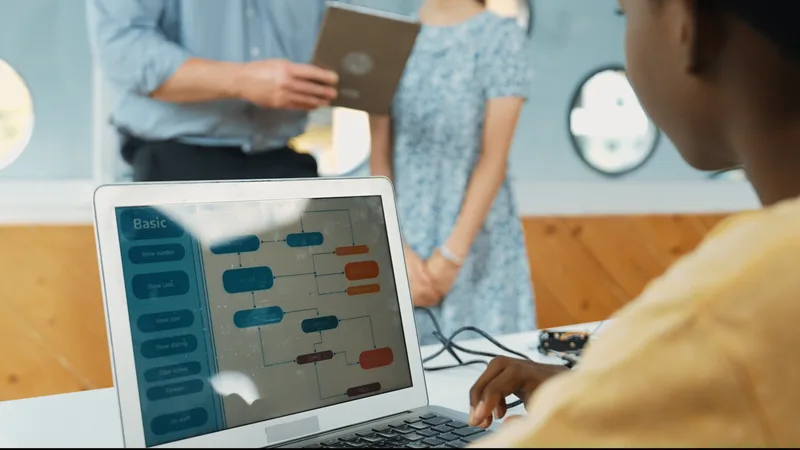
Many kids walk in knowing Minecraft better than we do. We use that. Instead of placing every block by hand, they write a short program that builds the wall for them, then change one number and watch the wall grow.
Ages 5 to 7 start with ScratchJr on tablets: picture blocks, no reading needed, and a story they can show you at pickup. Ages 8 to 10 move into Scratch and Minecraft code builds.
What we use
- ScratchJr (tablets)
- Scratch
- Minecraft Education with its code builder
- Paper planning grids
What your child will make
-
01
A ScratchJr story
Three scenes, a character who talks, and a button that starts it all.
-
02
A code-built castle
Walls, towers and a door, placed by loops instead of by hand.
-
03
A redstone-style door puzzle
A door that opens only when two switches are on. Learns AND logic.
-
04
A Scratch maze game
Arrow-key controls, walls you can't pass and a goal that plays a sound.
3 levels
The levels, in order
Each level is about one term and ends with a project. Kids move up when the project shows they're ready, not on a birthday. Ages are a guide.
-
M0
ScratchJr Studio
Ages 5 to 7Learns: Sequences, events and simple repeats with picture blocks.
Project: A three-scene talking story
-
M1
Scratch Worlds
Ages 7 to 9Learns: Loops, events, coordinates and sounds in Scratch.
Project: A maze game with a goal
-
M2
Code Builder
Ages 8 to 10Learns: Loops, variables and conditions that build in Minecraft.
Project: A castle built by code, with a logic-gate door
A class, minute by minute
-
Unplugged warm-up 10 min
A paper grid game: give a classmate directions to reach the treasure.
-
Show me 15 min
The instructor builds a tiny example on the big screen.
-
Make it 35 min
Kids build their own version, then change it to make it theirs.
-
Share 15 min
Volunteers show their world. Everyone saves their project.
Total: 1 h 15 min.
We provide
- Tablets for ages 5 to 7, laptops for 8 and up
- Minecraft Education licences, no home account needed
- Printed planning grids
- A private link to Scratch projects
Your child brings
- A water bottle
- A favourite build idea
Class times this term
Winter term runs Mon, Jan 11 to Sat, Apr 3, 2027. Trial classes run in these same slots.
| Day | Time | Level | Ages | Room | Seats |
|---|---|---|---|---|---|
| Tuesday | 4:15 to 5:15 p.m. | M0ScratchJr Studio | 5 to 7 | Lab B | Seats open |
| Tuesday | 4:15 to 5:30 p.m. | M2Code Builder (Minecraft) | 8 to 10 | Lab A | A few seats (1 left) |
| Friday | 4:15 to 5:30 p.m. | M1Scratch Worlds | 7 to 9 | Lab A | Seats open |
| Friday | 4:15 to 5:15 p.m. | M0ScratchJr Studio | 5 to 7 | Lab B | Seats open |
| Saturday | 9:00 to 10:15 a.m. | M2Code Builder (Minecraft) | 8 to 10 | Lab A | Waitlist |
Minecraft & Scratch questions
My child only wants to play Minecraft. Is that what this is?
It's built around Minecraft, but kids don't free-play. Every build in class uses code: a loop, a variable or a condition. Most kids are surprised how much they like making the computer do the work.
My 5-year-old can't read yet. Can they join?
Yes. ScratchJr uses picture blocks, and the Sparks class has two adults for six children, so there is always someone to help.
Do we need Minecraft at home?
No. We provide the licences in the lab. Scratch is free and runs in a browser if your child wants to keep going at home.
Other programs
- Coding Classes Ages 8 to 17
- Robotics Ages 5 to 14
- Game Design Ages 9 to 17
- STEM Camps Ages 5 to 14
- Competition Teams Ages 9 to 17
when trial class booked
Try a minecraft & scratch class first.
The trial is a full class with kids at your child's level. No card, no contract. Stay for the last 10 minutes and see what they built.
Rather talk first? Call (905) 555-0163. Lina answers weekdays from 10 a.m.